 Pickmark
Choose the parts to come back to
Pick an area you want to read again. Find its content together with your other picks in the app.
PICK. CLEAR. COLLECT. LISTEN.
Your picks, together in one app. Busy? Listen like a podcast.
Pick, Clear, collect and manage — all freeListening includes one headline play and one article play daily. Subscribe only for extra plays.
PICK OR CLEAR. YOUR SAFARI.
Open Pickmark Helper in Safari and choose an area. Pick the headlines or notices you want; Clear unwanted recommendations, rankings and banners. Cleared areas stay hidden on future visits. Make room for what matters, for free.
Pick an area you want to read again. Find its content together with your other picks in the app.
Clear distracting areas. Settings are saved by site, and you can show those areas again from the app.
The sites you visit
Pick the part you want
Collect in My Picks
Pick it. Read it together in the app.
Pick the parts you want and Clear the distractions.
Read picks across sites and manage cleared areas by site.
Go from reading to hearing headlines and articles.
02 / BRING IT ALL TOGETHER
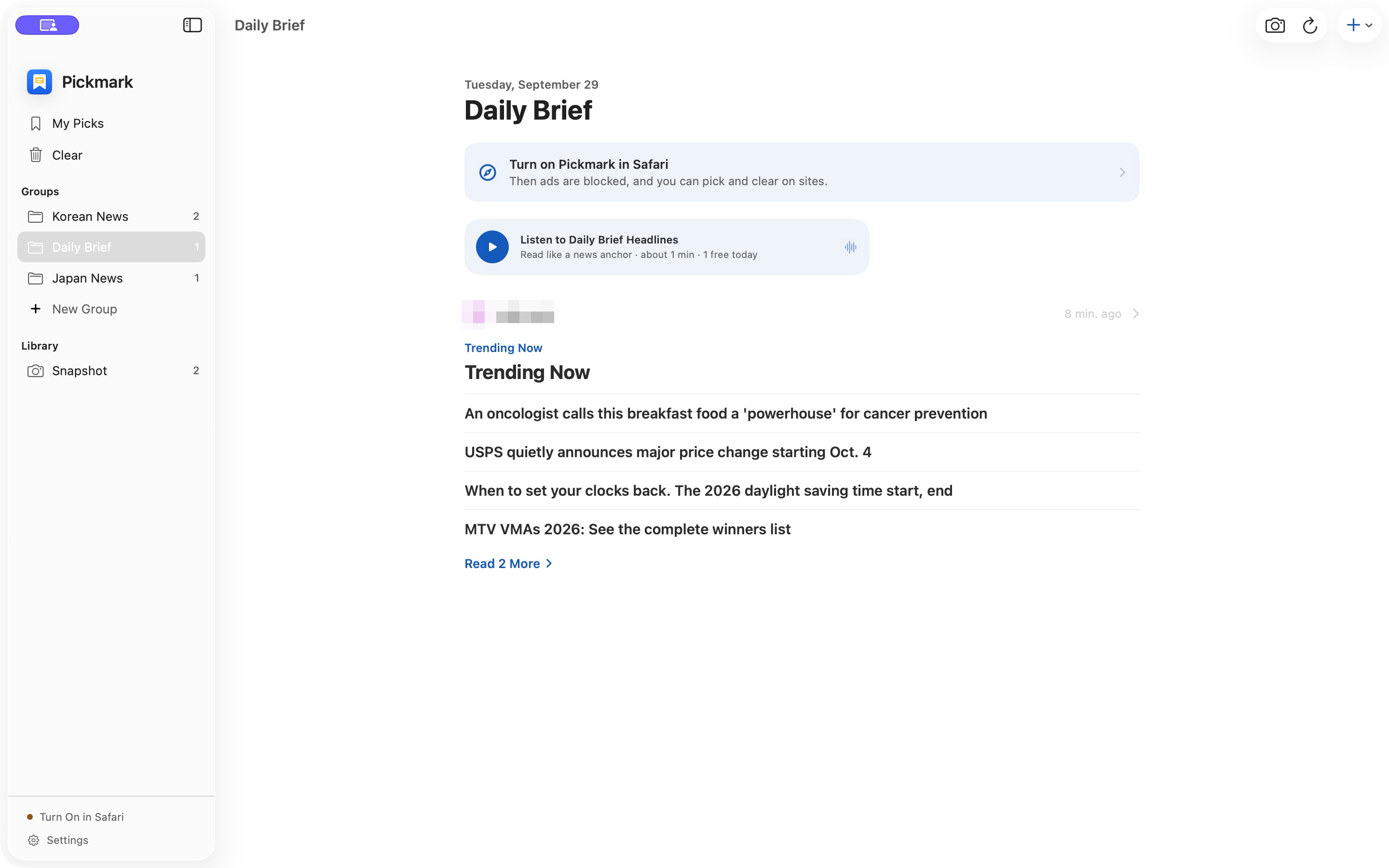
News headlines, community notices and updates you care about. See the parts you picked in Safari together in My Picks. Organize them into groups and manage cleared areas by site. All of this is free, too.
Read selected areas from different sites in one place. Refresh to fetch their source content.
Group picks around work, interests or your daily reading.
Use the app’s Clear settings to pause site rules or show hidden areas again.
LISTEN LIKE A PODCAST
On your commute, out for a walk or busy at home. Listen to headlines from your chosen sites and groups, then hear the articles that interest you. Keep up with your picks wherever your day takes you, without watching the screen.
Hear key updates from selected sites or groups in sequence.
Listen to the article text that catches your interest.
On-device AI speech reads the content aloud.
One headline play and one article play are free each day. Monthly or yearly Read Aloud subscriptions unlock additional listening.
Choose an area you return to, such as headlines or notices. Refresh to fetch that area from the original site.
Choose recommendations, rankings or banners to hide. Manage them by site and show them again whenever you like.
Bring picks from different sites into groups around an interest or task.
Hear key headlines from selected sites or groups, and article text, with AI speech generated on your device.
Save the current text and links to revisit after the source website changes.
Safari ad and tracker filters, filter controls and optional Network Protection help clear your reading environment.
OUR POINT OF VIEW
Choose the areas to read and the ones to hide.
Cut down the repeated work of finding the same part.
Read, listen or save a snapshot to suit the moment.
Picks fetch the selected areas from their sources. Snapshots keep text and links from the moment you save. Separate your daily reading from the records you want to revisit.
One headline play and one article play are free each day. Monthly or yearly Read Aloud subscriptions unlock additional listening.
Replaying the same free selection on the same day uses no extra play. Free use never starts billing automatically. Subscriptions renew automatically; see the App Store purchase screen for price and period.
On iPhone and iPad, enable Pickmark Helper and content blockers in Safari Extensions in Settings. On Mac, use Safari Settings, Extensions. Allow the sites you want to use, then start a pick in the helper. You can also try the in-app practice page. Use Pick to choose an area to read, or Clear to hide distractions.
Pick and Clear in Safari, collecting and grouping picks, managing cleared areas, and snapshots are all free. One headline play and one article play are also free each day. Only additional listening requires an optional subscription.
Refreshing connects to the source website and retrieves the selected area. Network, sign-in and page structure can affect access. Select the area again if its structure changes. This is not continuous background monitoring or change notifications.
It saves the collected text and links at that moment, not entire websites or offline videos. Opening a source link takes you to the current website.
The Safari-to-app connection described here works on the same device. Automatic cross-device syncing of picks, groups and snapshots is not available.
It reads key headlines from selected sites or groups in sequence, and can also read article text. Speech is synthesized on device. Voice resources need initial preparation; access depends on your device and the source content.
Picks, groups, snapshots and hidden-area settings are stored on device. Refreshing connects to the source site. Text for speech synthesis is not sent to the developer's server. With optional Network Protection enabled, allowed DNS queries go to Cloudflare.
iPhone · iPad · Mac